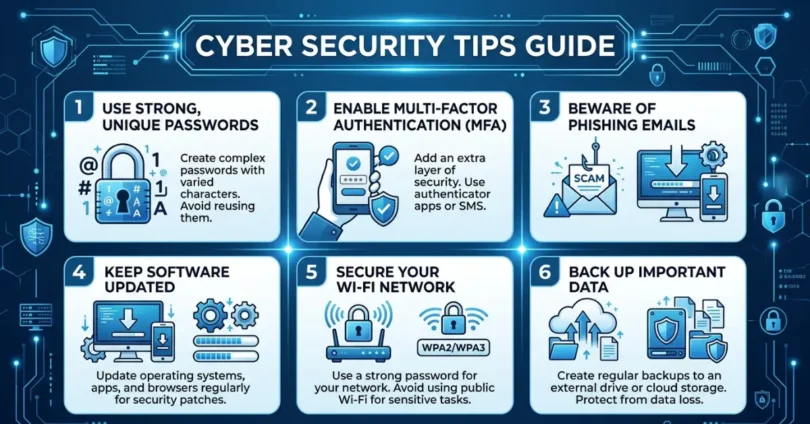
From social media accounts to online banking, almost every part of our lives is now digital. While technology has made life easier, it has also opened the door to hackers, scams, and data breaches. That is why understanding a Cyber Security Tips Guide is no longer optional it is essential. Whether you are a student, business owner, or casual internet user, learning how to protect your data can save you from serious financial and personal loss.
Understanding Cyber Security
Cyber Security refers to the practice of protecting computers, servers, mobile devices, networks, and data from malicious attacks. These attacks often aim to steal sensitive information, disrupt services, or damage systems.
Common cyber threats include:
- Phishing attacks (fake emails or messages)
- Malware and viruses
- Identity theft
- Ransomware attacks
- Data breaches
Knowing these threats is the first step toward building strong digital protection.
Essential Cyber Security Tips Guide
Essential Cyber Security Tips Guide helps you learn simple and effective ways to protect your personal data, devices, and online accounts from hackers and cyber threats.
1. Use Strong and Unique Passwords
One of the simplest yet most powerful security measures is using strong passwords. Weak passwords like “123456” or “password” are easy targets for hackers.
A strong password should:
- Be at least 12–16 characters long
- Include uppercase and lowercase letters
- Contain numbers and special symbols
- Be unique for every account
Using a password manager can help you store and generate secure passwords easily.
2. Enable Two-Factor Authentication (2FA)
Two-factor authentication adds an extra layer of protection. Even if someone gets your password, they cannot access your account without a second verification step.
Common 2FA methods include:
- SMS verification codes
- Authentication apps (like Google Authenticator)
- Email verification
Always enable 2FA on important accounts like email, banking, and social media.
3. Be Careful with Phishing Emails and Messages
Phishing is one of the most common cyber attacks. Hackers send fake emails or messages pretending to be trusted companies.
Warning signs of phishing:
- Urgent or threatening language
- Unknown sender email address
- Suspicious links or attachments
- Requests for personal information
Never click on suspicious links or download unknown attachments.
4. Keep Software and Devices Updated
Outdated software often contains security vulnerabilities that hackers can exploit.
Make sure to:
- Update your operating system regularly
- Keep apps and browsers updated
- Install security patches immediately
Automatic updates are highly recommended for better protection.
5. Use Antivirus and Anti-Malware Tools
Reliable antivirus software helps detect and remove harmful programs before they cause damage.
A good antivirus should:
- Offer real-time protection
- Scan downloads and files
- Block suspicious websites
- Provide firewall protection
Even free antivirus programs can offer basic security, but premium versions provide stronger protection.
6. Avoid Public Wi-Fi for Sensitive Activities
Public Wi-Fi networks are often unsecured, making them a favorite target for hackers.
Avoid using public Wi-Fi for:
- Online banking
- Shopping with credit cards
- Logging into important accounts
If you must use public Wi-Fi, use a VPN (Virtual Private Network) to encrypt your connection.
7. Secure Your Social Media Accounts
Social media platforms contain a lot of personal information that can be misused.
Best practices include:
- Keeping profiles private
- Avoid sharing sensitive personal details
- Reviewing privacy settings regularly
- Being cautious with friend requests
Cyber criminals often use social media to gather data for identity theft.
8. Backup Your Data Regularly
Data loss can happen due to hacking, system failure, or accidental deletion.
Backup options include:
- External hard drives
- Cloud storage services
- Automated backup tools
Regular backups ensure that you can recover your data quickly in case of an attack.
9. Be Careful What You Download
Downloading files from unknown sources is risky. Malware often hides inside free software, movies, or cracked applications.
Always:
- Download from trusted websites only
- Check reviews before installing software
- Avoid pirated content
10. Educate Yourself and Stay Updated
Cyber threats constantly evolve. Staying informed is one of the best defenses.
Follow:
- Cyber security blogs
- Tech news websites
- Online safety courses
Awareness is a powerful tool in preventing cyber attacks.
Common FAQs About Cyber Security Tips Guide
Faqs of Cyber Security Tips Guide:
What is the most important cyber security tip?
Using strong passwords and enabling two-factor authentication are the most important steps for protecting your accounts.
Can antivirus software fully protect me?
No, antivirus software helps but cannot guarantee full protection. Safe browsing habits are equally important.
What should I do if I receive a phishing email?
Do not click any links or reply. Delete the email immediately and report it if possible.
Is public Wi-Fi always dangerous?
Not always, but it is risky. Avoid sensitive activities or use a VPN for added security.
How often should I update my passwords?
It is recommended to update passwords every 3–6 months, especially for important accounts.
Conclusion
Cyber security is not just for tech experts it is for everyone who uses the internet. By following this Cyber Security Tips Guide, you can significantly reduce the risk of becoming a victim of cyber attacks. Simple actions like using strong passwords, enabling two-factor authentication, and staying alert to phishing attempts can make a huge difference.